
Video Cloud Basics: Creating a Manual Playlist
Prerequisites
Steps
- Open the Media module and switch to the Playlists tab.
- Click New and select New Playlist.
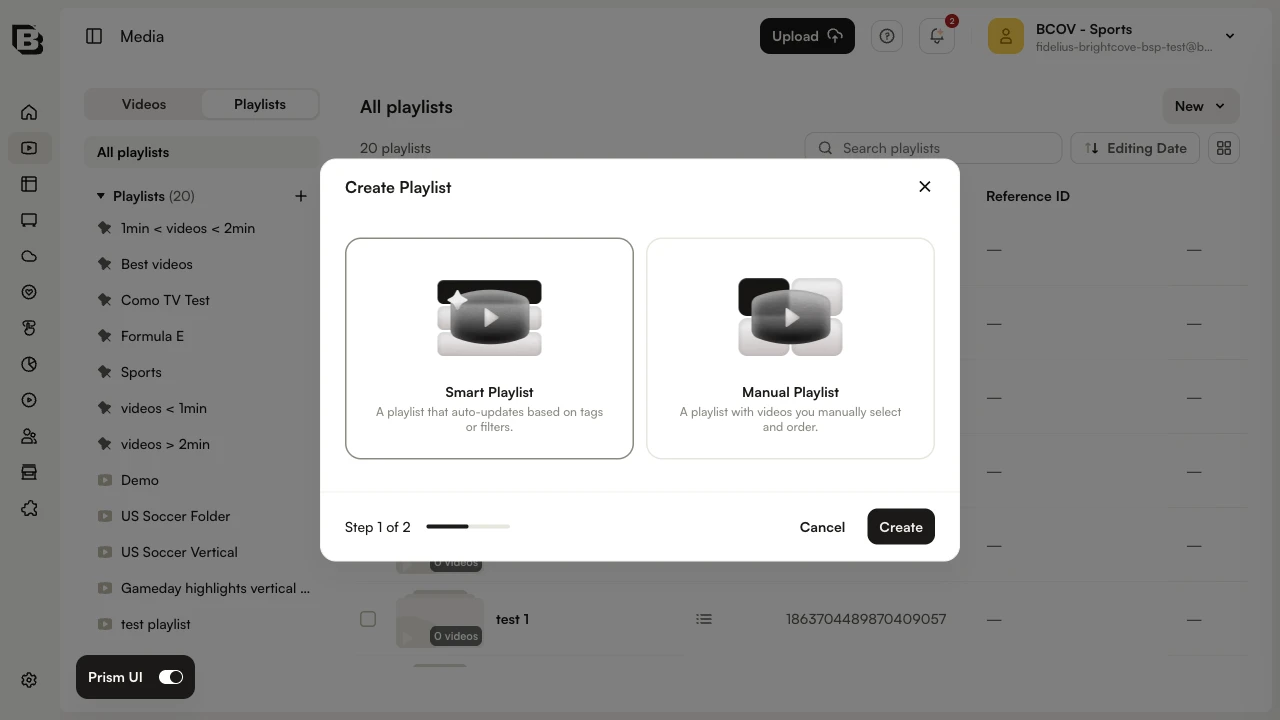
- In the Create Playlist dialog, choose Manual Playlist and click Create.
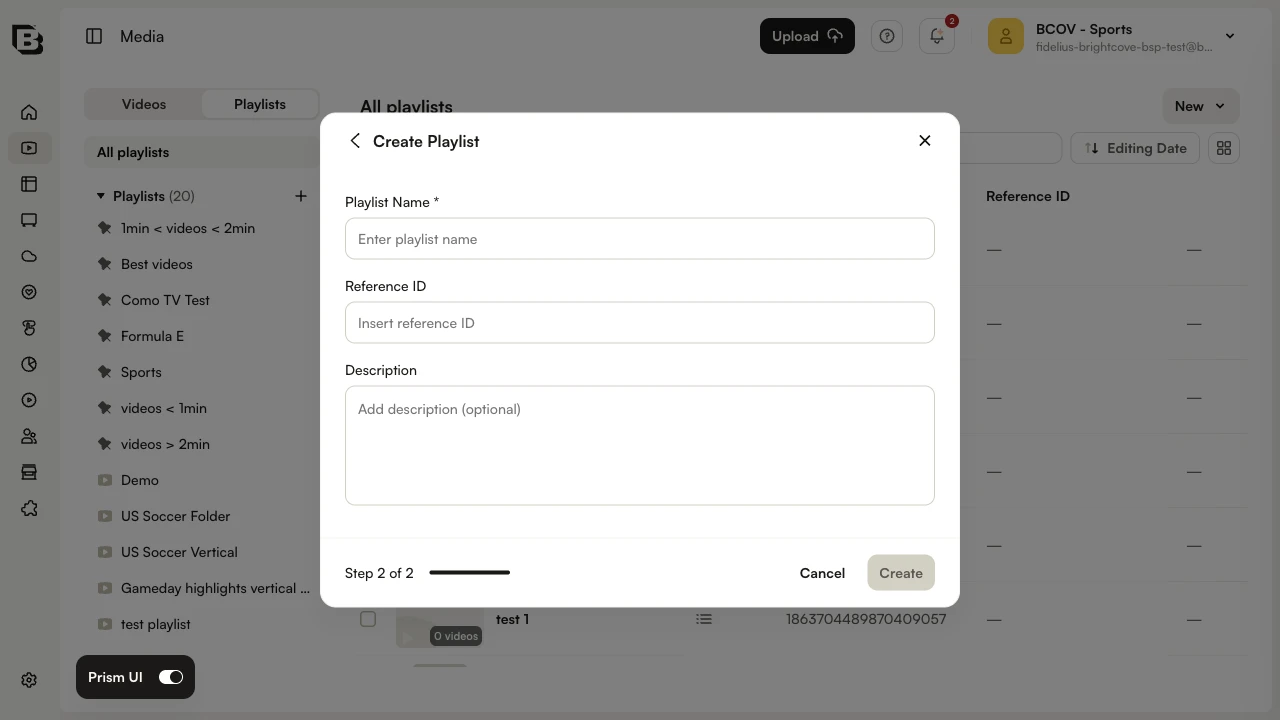
- Enter a Playlist Name. Optionally add a Reference ID and Description, then click Create.
- Switch back to the Videos tab to add videos to the playlist.
- Select the checkboxes next to the videos you want to add.
- On the bulk-action bar, click Add to playlist.
- Select the playlist you just created and click Add.
To rearrange the order of the videos, open the playlist and drag rows to a new position in the list.