
Health Monitoring Dashboards
In this topic you will learn about the health monitoring in Live module.
Overview
The health monitoring dashboard is designed to provide real-time insights into the performance and stability of live streaming events. It is an integral part of the Live module and accessible through the Brightcove Studio interface.
After reading this topic, you should be able to:
- Access and navigate the Health Monitoring Dashboard in Brightcove Studio.
- Understand key real-time metrics to monitor stream health.
- Identify and respond to potential streaming issues to ensure a smooth live event experience.
To view health monitoring, follow these steps:
- Open the Live module.
- Select a channel that is currently running.
- Click Health Monitoring in the side navigation.
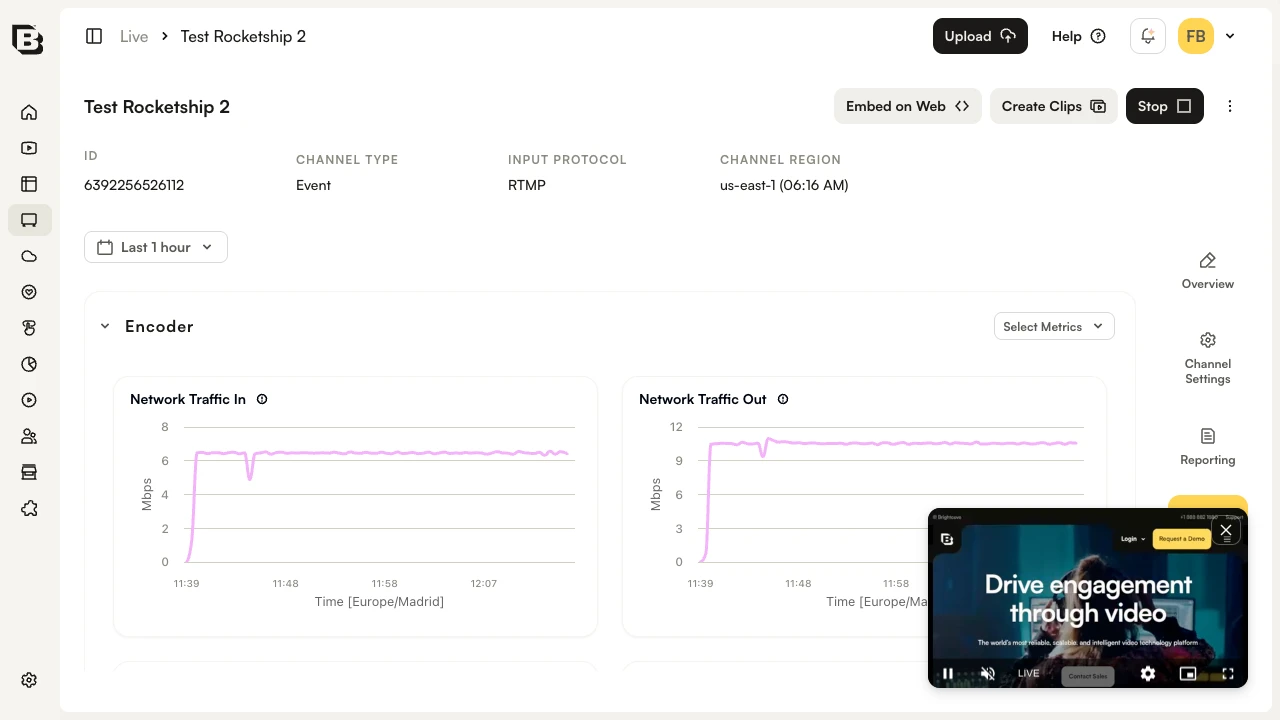
The health monitoring dashboard is organized into the following sections:
Each section includes real-time graphs that can be filtered using the time range selector and the Select Metrics dropdown.
Ingest
The Ingest section displays the following metrics:
- Source Bit Rate - Bit rate of the incoming source.
- Source Connected - Connection status of the source. 1 indicates the source is connected. 0 (zero) indicates the source is disconnected.
- Source Disconnections - Count of source disconnections.
- Source Dropped Packets - Number of network packets lost during source transit. Measured before any error correction takes place.
- Source Packet Loss Percent - Percentage of network packets lost during source transit.
Encoder
The Encoder section displays the following metrics:
- Network Traffic In - Rate of network traffic coming into the encoder. Includes all ingest traffic received — push inputs, pull inputs, responses from upstream systems and downstream systems, and instance traffic such as DNS resolution and NTP. Even when an encoder is not ingesting, there will be some traffic.
- Network Traffic Out - Rate of network traffic out of the encoder. This number includes all traffic from the encoder — the media output, NTP traffic, and DNS traffic. Even when the encoder is not delivering output, there will be some traffic.
- Source Frame Rate - The frame rate of the source video in frames per second (FPS).
- Source Loss Fill Duration - Duration in milliseconds of fill frames, black slate or last frame repeated, used to cover source loss. Capped to 60K ms (1 minute).
- Dropped Frames - Number of input frames the encoder has dropped in the period. Can impact quality of the output video.
- Output Audio Level dBFS - Output audio level in decibels, relative to Full Scale (dBFS). Volume of the output stream. Ensures a consistent audio experience across devices.
- Output Audio Level LKFS - Output audio level in Loudness, K-weighted, relative to Full Scale (LKFS). Important for maintaining consistent audio levels and regulatory compliance.
Packager
The Packager section displays the following metrics:
- Egress Bytes - Number of bytes that the packager successfully sends for each request.
- Egress Response Time - Time that it takes the packager to process each output request. High egress response time may affect user experience.